Put something beautiful on the big screen.
KaraokeHost turns your Mac and any second display into an easy presentation and entertainment system. Show photos, videos and visual playlists for parties, events, presentations — or simply at home. Karaoke when you want it.
Karaoke songs and music are not included. You bring your own compatible files and media.
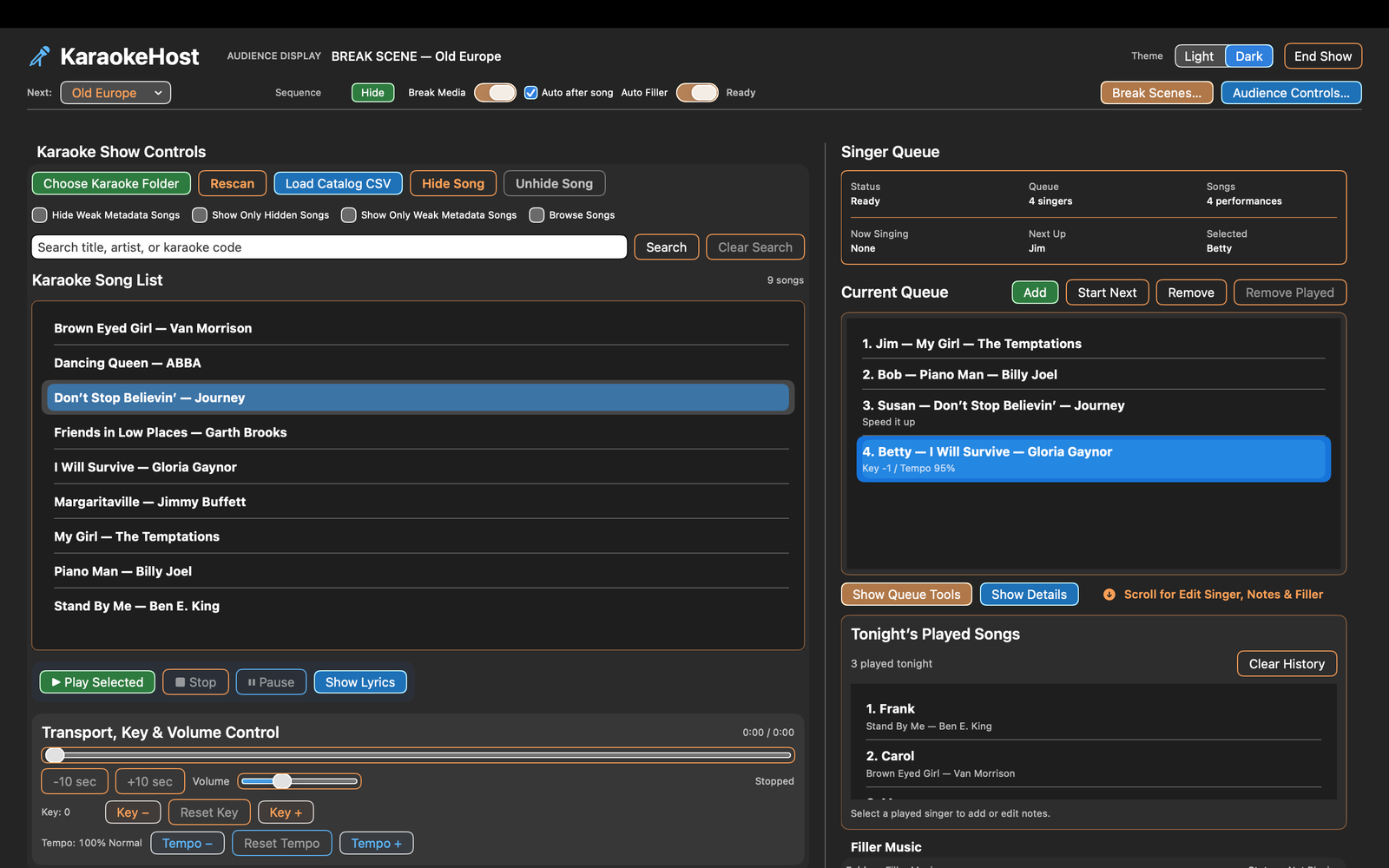
Connect a screen. Pick what you want to show. Enjoy it.
Keep KaraokeHost controls on your Mac while your audience, family, or guests see a clean full-screen presentation on a TV, monitor, or projector. Use a direct HDMI connection or a compatible AirPlay display when wireless presentation suits your setup.
Simple wired setup
Connect your Mac to a TV, monitor, or projector with HDMI or the appropriate USB-C-to-HDMI connection.
Wireless when you want it
Use a compatible AirPlay display for convenient wireless presentation. Wireless latency and performance can vary with your network and equipment.
Your controls stay on the Mac
The presentation stays on the big screen while your library, playlists, Singer Queue, and show controls remain on your Mac.
Turn your memories into the evening's backdrop.
Put vacation photos, family memories, scenic videos, and favorite moments on the big screen. Build a Sequence or Break Scene playlist and let it run while everyone enjoys the room.
No karaoke required.
Make the screen part of the celebration.
Birthdays, anniversaries, holidays, reunions, and special occasions can have their own visual presentation. Mix photos and videos, organize them into playlists, and add Filler Music to create the atmosphere you want.
Your media. Your music. Your presentation.
Keep the room engaged before, between, and after performances.
Use a TV or projector for scenery, event information, venue promotions, sponsor messages, advertising, announcements, Countdown, and visual entertainment. Break Scene playlists can keep presentation content moving automatically.
And yes — it runs the complete karaoke show.
Search your own karaoke library, manage singers and performance order, adjust key and tempo, play Filler Music, and send lyrics or MP4 video to the Audience Display.
- MP3/CDG and ZIP/CDG karaoke files
- MP4 karaoke video files
- Singer Queue and singer notes
- Key and tempo controls
- Up Next and audience information
- Saved Shows

Make the Audience Display part of the event.
The second screen doesn't have to sit idle when nobody is singing. Use Break Scenes and Sequences before, between, or instead of karaoke performances, then combine videos, still images, and Sequences into playlists that can advance automatically.
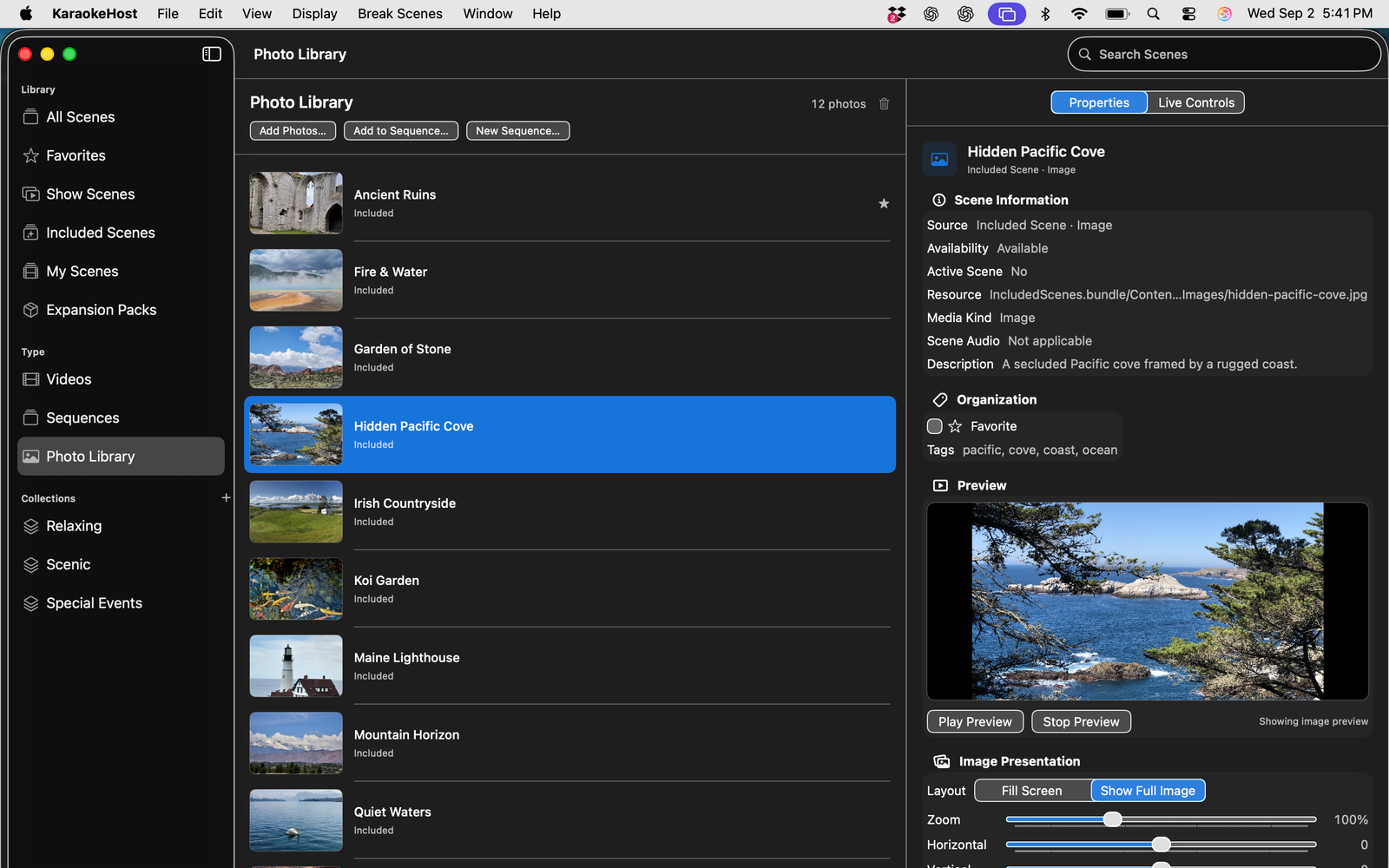
Break Scenes
Choose Included Scenes or add your own photos and videos. Organize them with Collections, Favorites, and Show Scenes.
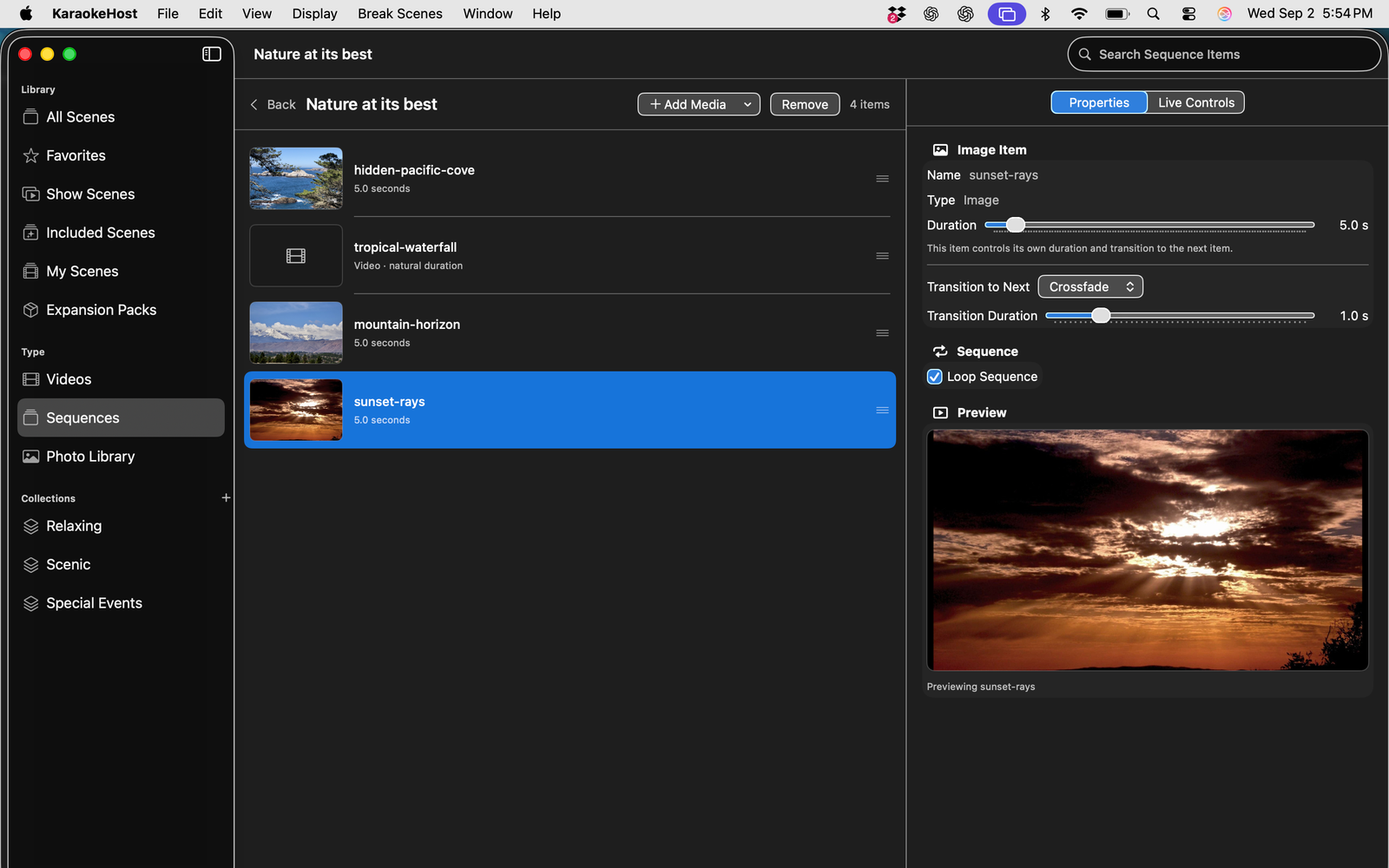
Build Sequences
Combine still images and videos into visual Sequences with image duration, transitions, and looping controls.
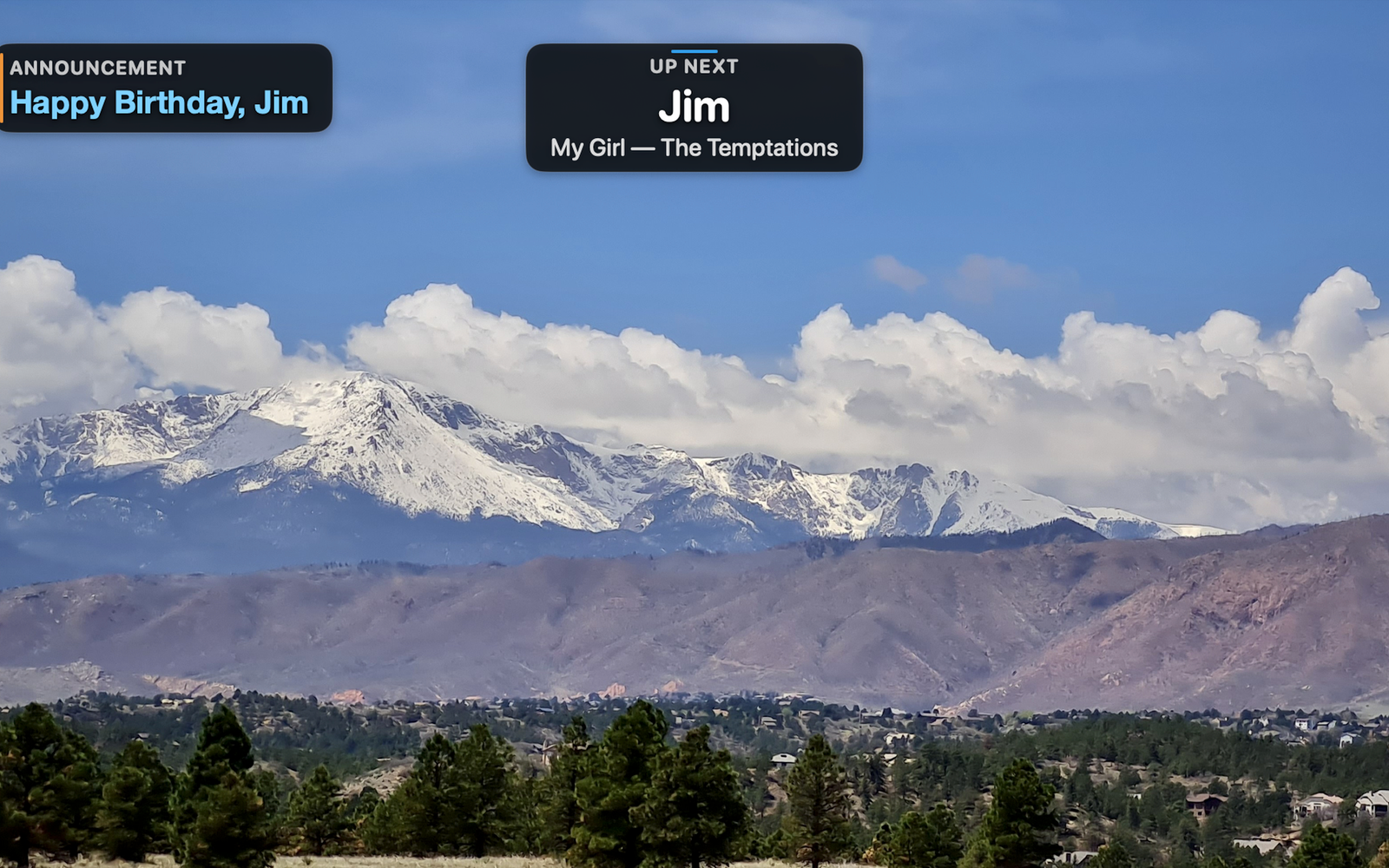
Present more than karaoke
Show event photos, scenery, celebrations, promotions, sponsor messages, advertising, informational displays, and other audience-facing content.
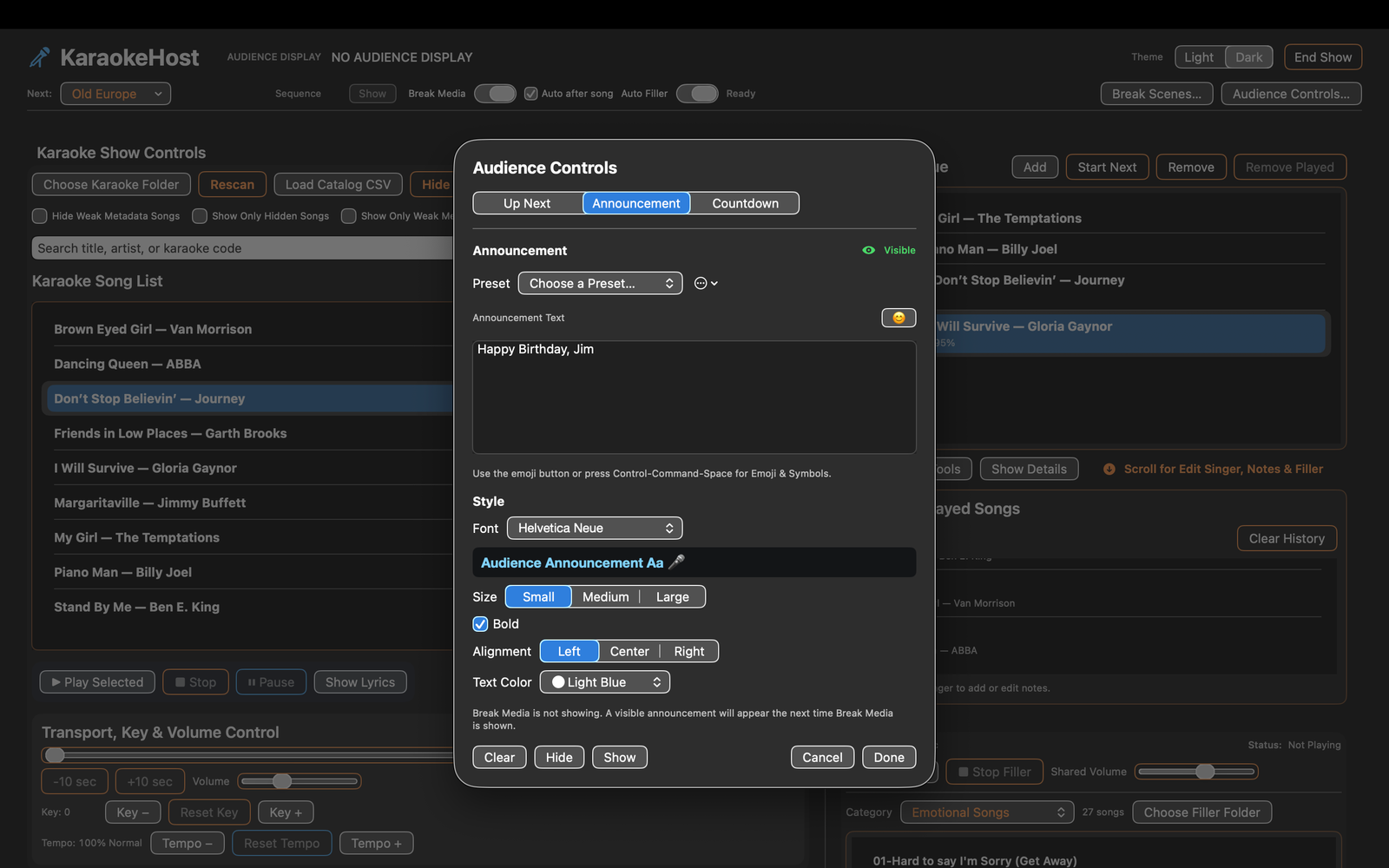
Audience Controls
Display Up Next information, host announcements, and Countdown while controlling what appears on the Audience Display.
24 Included Break Scenes to get you started.
KaraokeHost provides attractive ready-to-use material while also showing what you can create with your own media.
12 still images
Ready-to-use visual backgrounds for the Audience Display.
6 videos
Standalone video Break Scenes that can include their own embedded audio.
6 Sequences
Ready-made visual presentations demonstrating how still images and videos can work together.
Included media is organized around Relaxing, Scenic, and Special Events starter Collections. Included Break Scene media is optional, can be removed from local storage, and can be downloaded or restored later.
What's New in KaraokeHost 2.2
Version 2.2 makes Break Scene playlists easier to build, organize, and run, with integrated playlist management, automatic mixed-media playback, and faster ways to move visual content into playlists.
- Manage Break Scene playlists directly in Break Scenes > Playlists
- Automatically advance mixed playlists containing videos, still images, and Sequences
- Set still-image duration and choose whether a playlist loops
- Add supported photos and MP4 videos directly to Collections
- Add an entire Collection directly to an existing or new Break Scene playlist
- Select Library scenes and add them directly to an existing or new playlist
- Improved transitions between playlist content
Bring your own karaoke files.
KaraokeHost is hosting software. It is not a karaoke music store, subscription service, streaming catalog, or cloud song library.
- Supports MP3/CDG karaoke files
- Supports ZIP files containing matching MP3/CDG files
- Supports MP4 karaoke video files
- Requires macOS 15.0 or later
- Works with external display setups supported by your Mac and hardware
Also available: KaraokeHost MP4 Creator for Mac
KaraokeHost MP4 Creator is a separate macOS app for creating polished MP4 karaoke videos from user-provided audio, lyrics, timing, and visual backgrounds.
Put your big screen to work.
Use KaraokeHost for photos and videos at home, visual presentations at parties and events, audience entertainment between performances — and a complete karaoke show whenever you want one.