Create clean MP4 karaoke videos on your Mac.
KaraokeHost MP4 Creator helps you create host-friendly MP4 karaoke videos from your own audio, lyrics, timing, and background visuals.
KaraokeHost MP4 Creator does not include songs, lyrics, downloads, streaming, cloud song access, lyric lookup, or music licensing. Use only materials you own, created yourself, licensed, public-domain, or have permission to use.
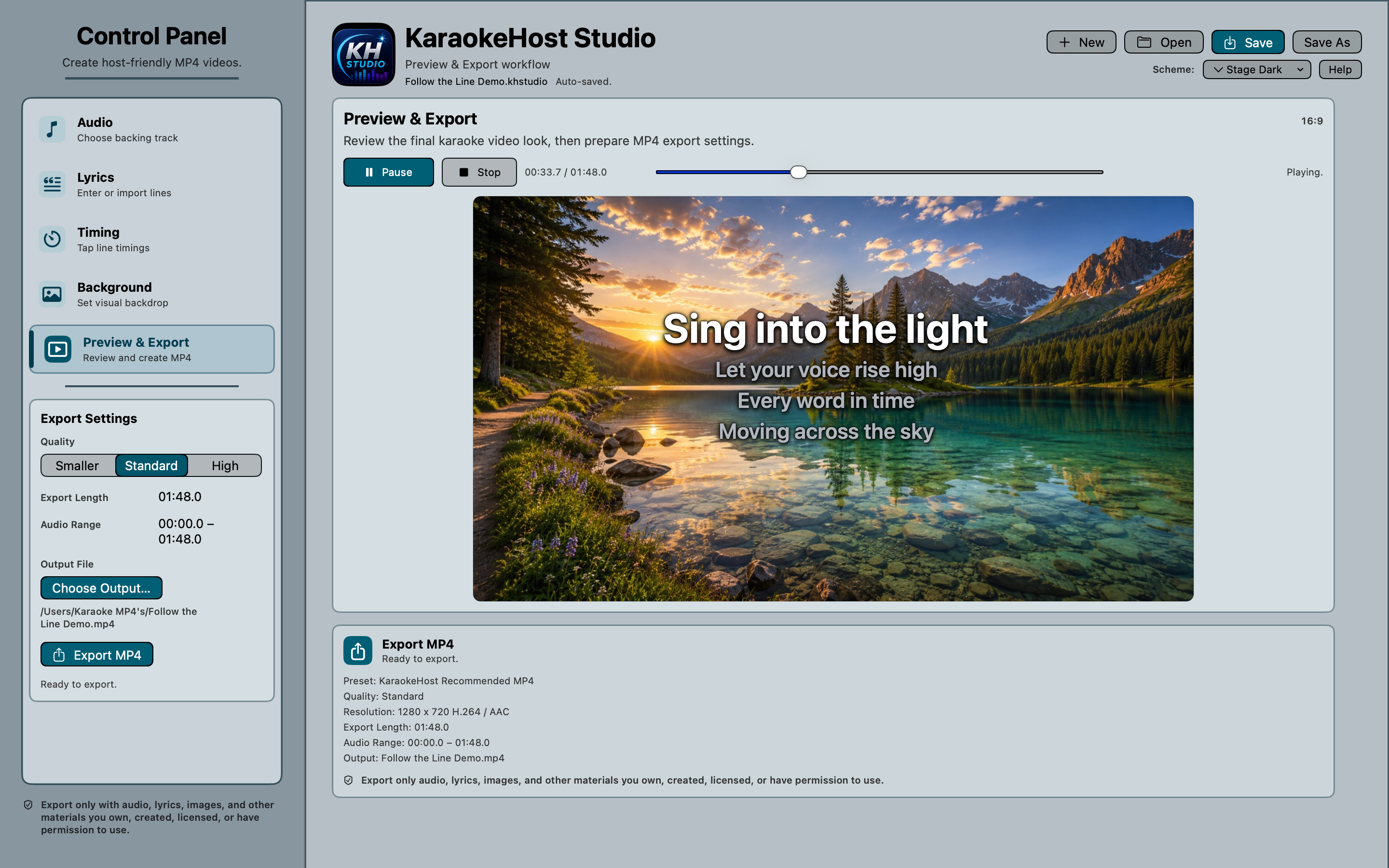
Create polished MP4 karaoke videos step by step.
KaraokeHost MP4 Creator creates polished MP4 karaoke videos from user-provided audio, lyrics, timing, and visual backgrounds. It works locally on your Mac, requires no account or internet connection for normal use, and keeps your original audio and image files unchanged.
Prepare your audio
Import supported audio files, review the waveform, trim the usable range visually, add fades, and adjust key or tempo non-destructively.
Add lyrics and markers
Enter or import lyrics, then work with lyric lines plus Intro, Break, and Outro markers for a clearer karaoke video structure.
Time lyrics precisely
Time lyrics line by line, edit exact timestamps, retimestamp selected entries from the playhead, and nudge timing earlier or later.
Design each screen
Choose included backgrounds or your own images, then position Opening Screen and Lyrics Screen elements with visual editing controls.
Save editable projects
Save projects as .khstudio files so you can return later to adjust timing, text, design settings, and referenced media.
Preview and export MP4
Preview the completed karaoke video before exporting a standard MP4 file for KaraokeHost or other compatible video players.
Built for user-provided materials.
KaraokeHost MP4 Creator is a creation tool. It is not a song store, lyric service, streaming catalog, or music licensing service.
- Create polished MP4 karaoke videos from your own materials
- Use audio, lyrics, images, timing, and backgrounds you provide
- Choose included backgrounds or external images
- Save editable .khstudio project files for continued editing
- Export standard MP4 video files
- Works well with KaraokeHost
- Does not require KaraokeHost
- No account required
- No subscription
- Requires macOS 14 Sonoma or later
Preview and export clean MP4 karaoke videos.
Build the karaoke display, review how lyrics will appear, choose export settings, and create the final MP4 file.
Preview and export
Review the karaoke video look and export a standard MP4 file.
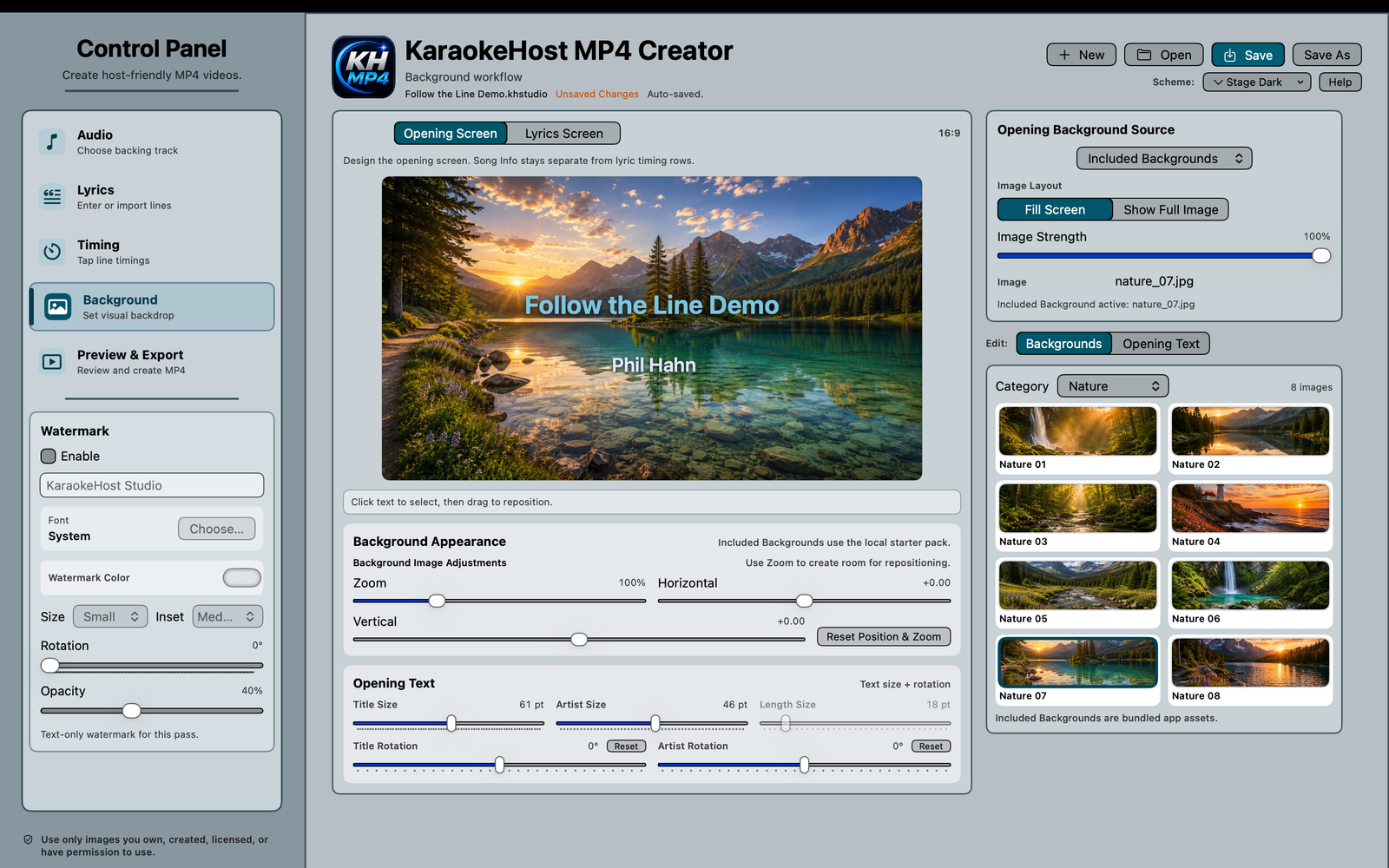
Opening screen design
Customize the title screen, artist display, song length, watermark, and background image.
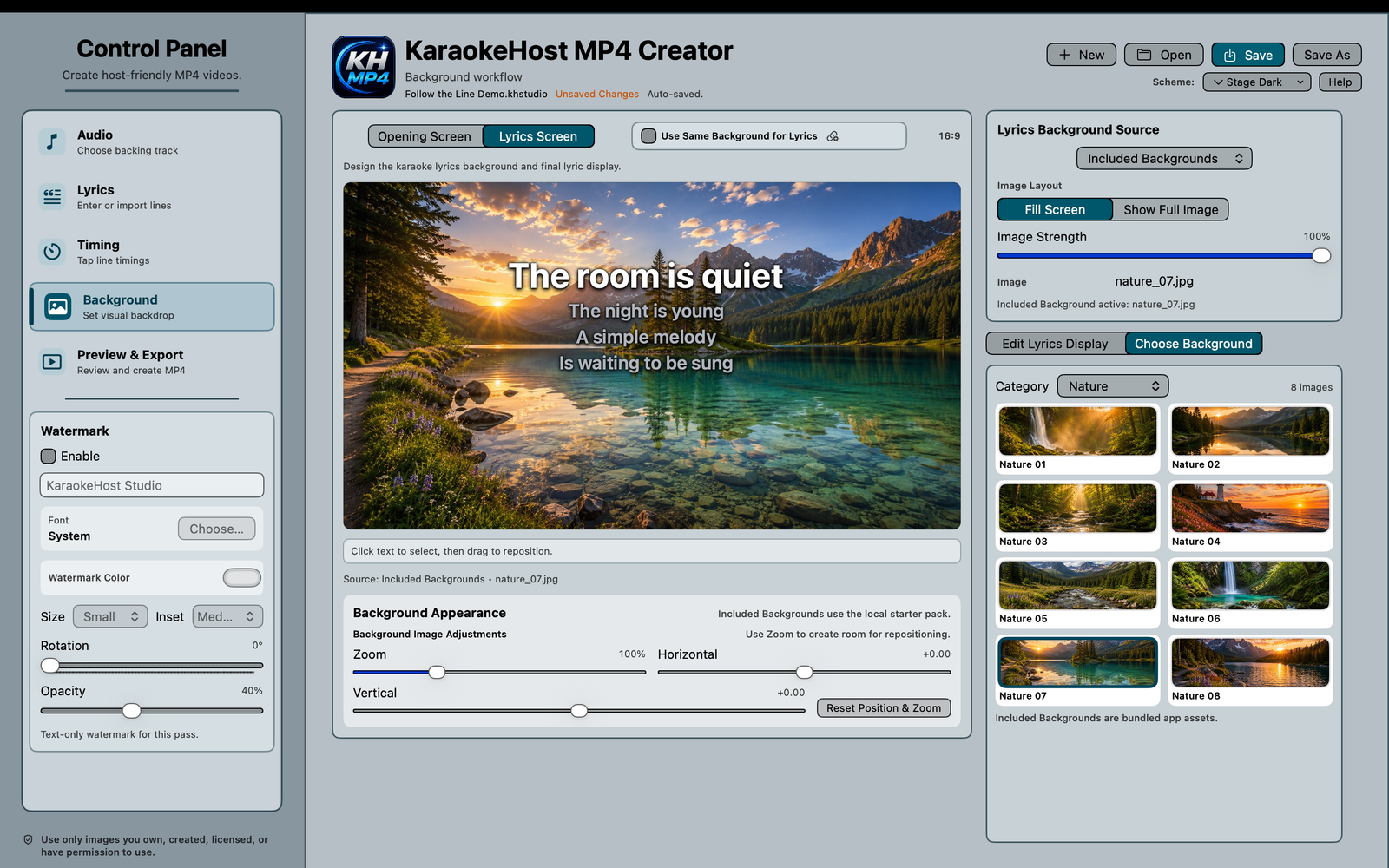
Lyrics screen design
Position the lyrics block and watermark while choosing the background style for the final karaoke screen.
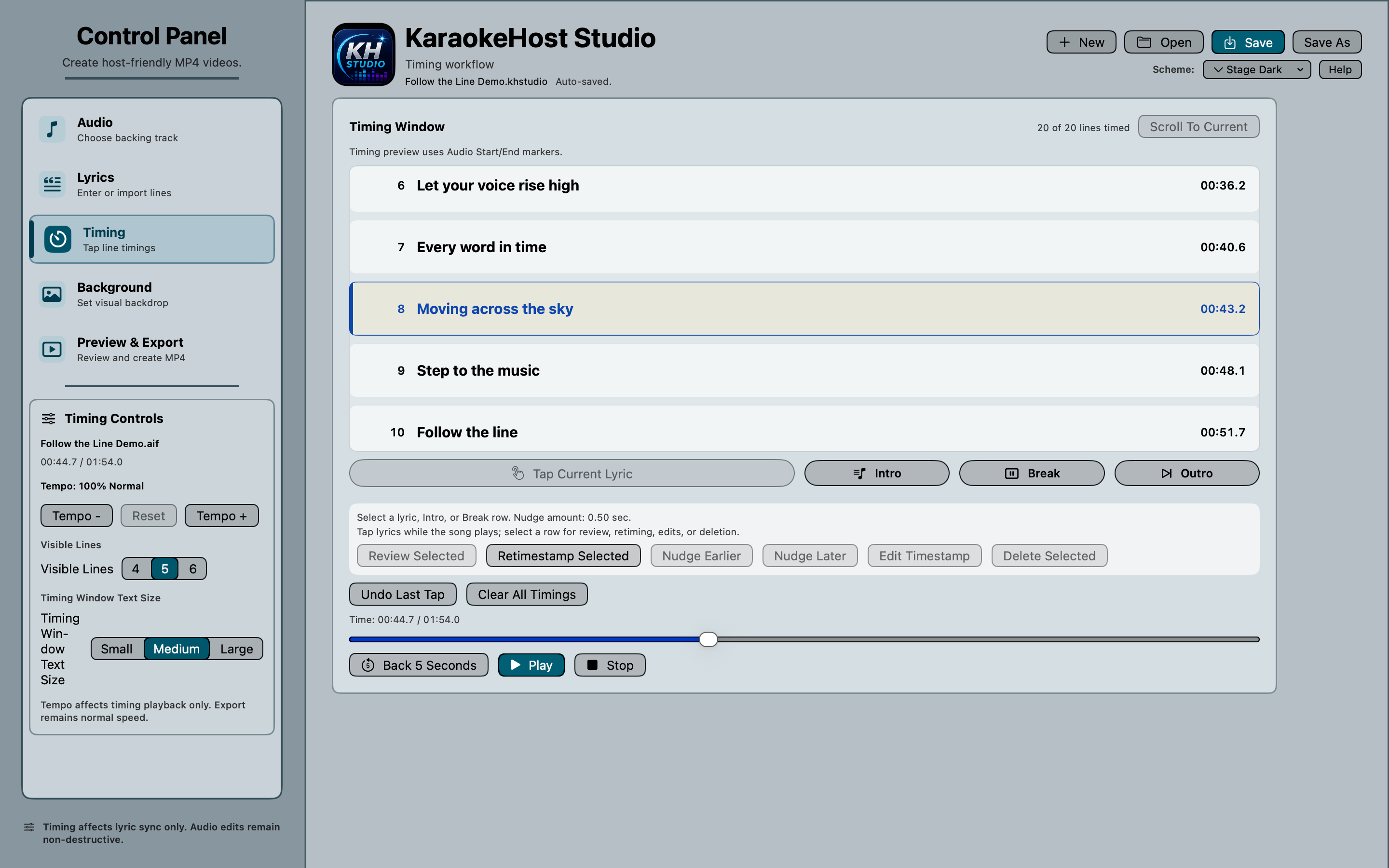
Lyric timing and markers
Time lyric lines, work with Intro, Break, and Outro markers, and fine-tune timing before export.
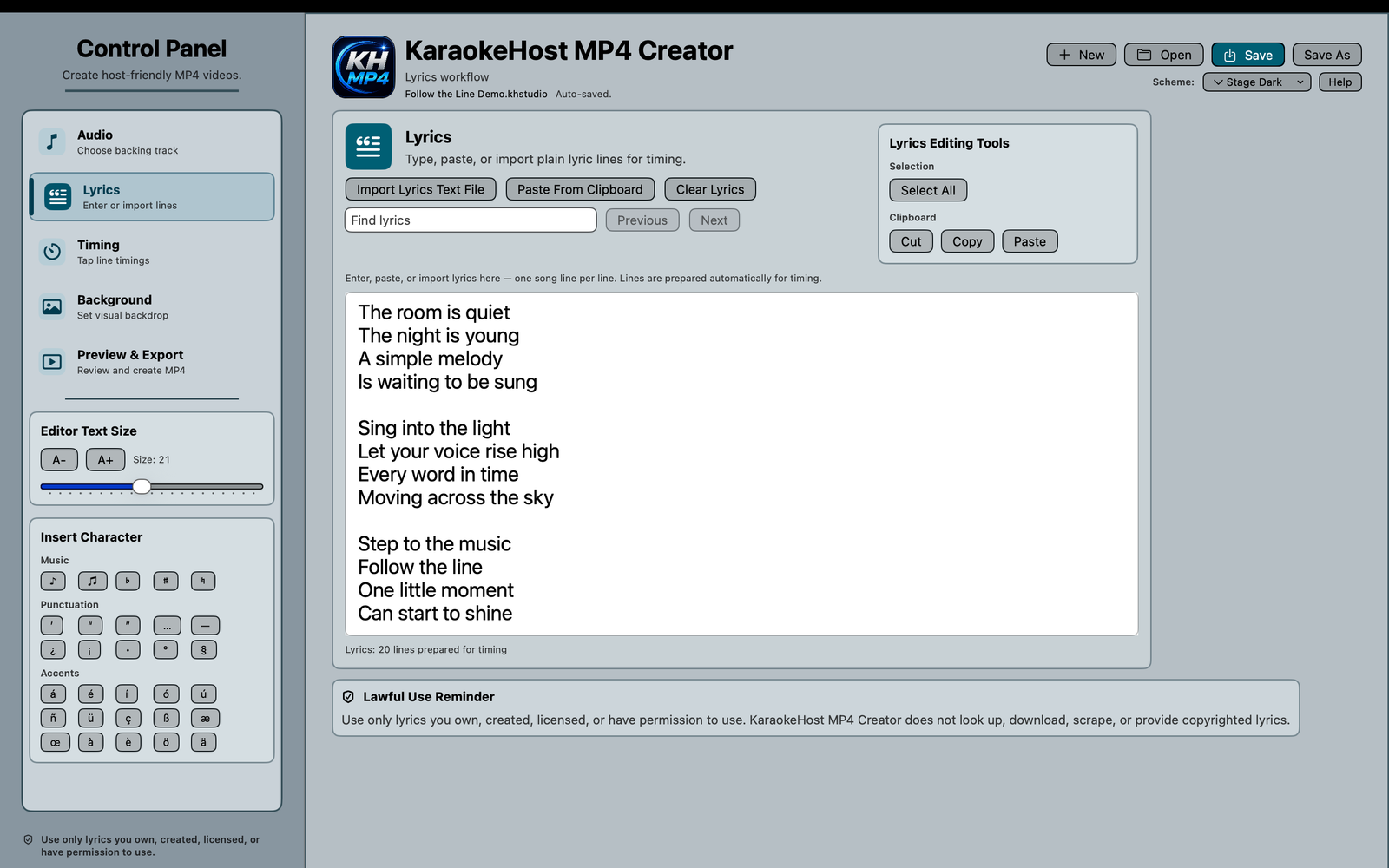
Lyrics editor
Add and prepare your own cleared lyric text.
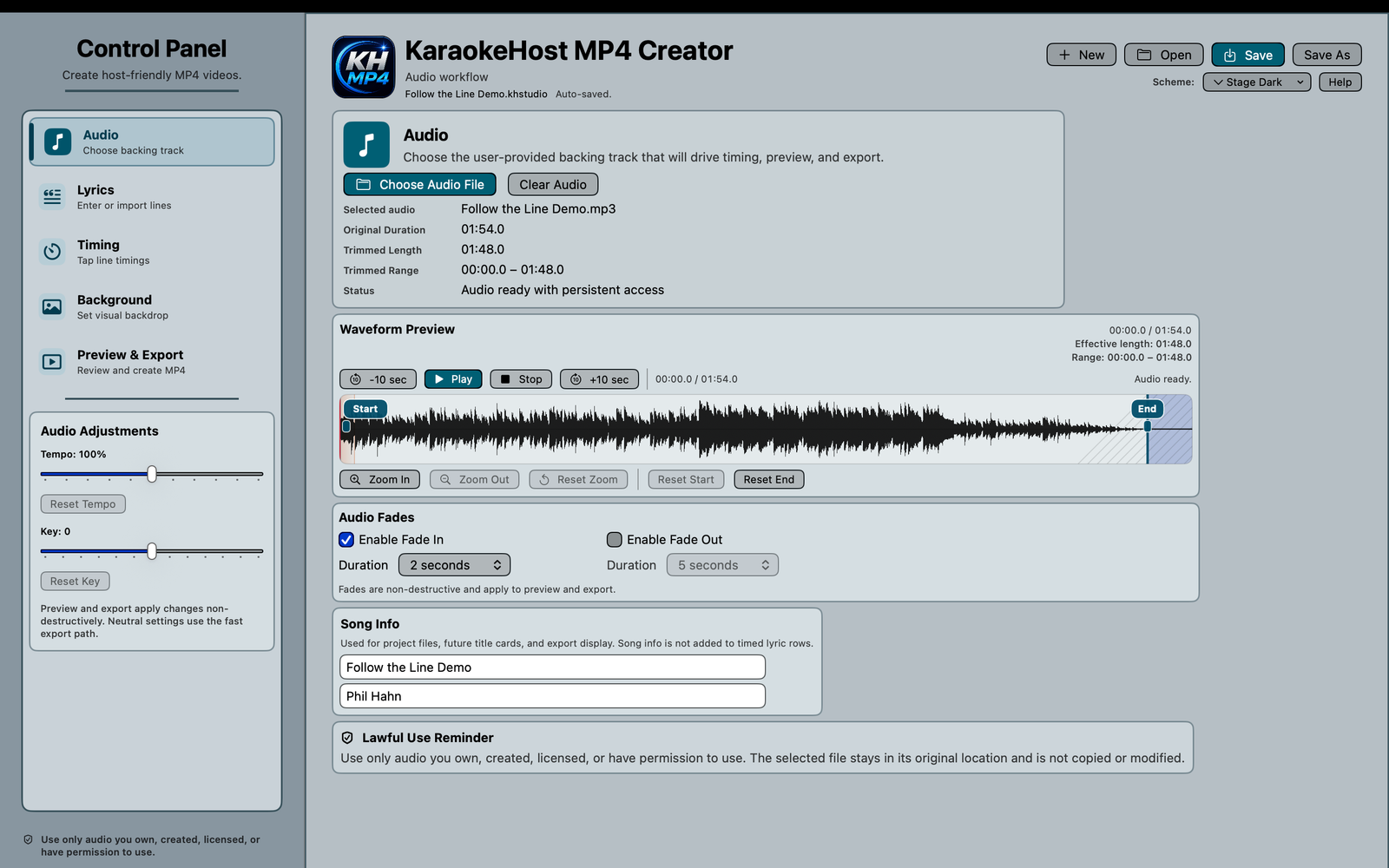
Audio and waveform
Prepare audio, fades, timing range, and song information.
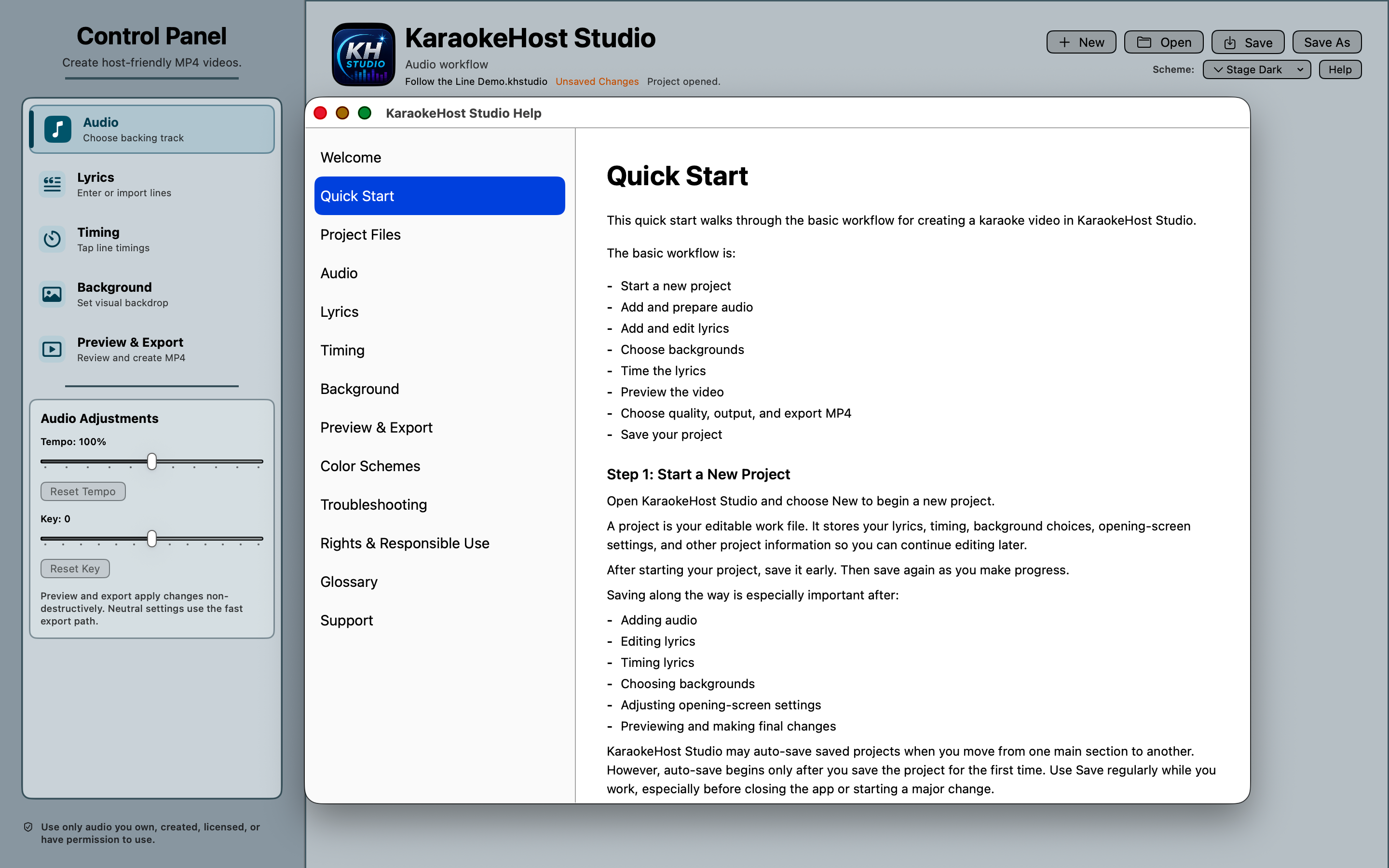
Built-in help
Use the included Help Manual for quick-start guidance and workflow support.
Detailed timing and marker control.
KaraokeHost MP4 Creator includes timing tools for lyric lines plus Intro, Break, and Outro markers.
- Select individual lyric and marker rows
- Edit exact timestamps directly inside the selected row
- Retimestamp a selected lyric or Break using the current audio playhead
- Nudge timing earlier or later
- Clear or delete applicable timing entries
- Review a selected entry and scroll to the current lyric
- Show Break start time and approximate duration
Visual design with selectable screen elements.
Design the Opening Screen and Lyrics Screen with selectable, draggable elements and clear editing controls.
Opening Screen elements
- Song title
- Artist
- Song length
- Watermark
Lyrics Screen elements
- Lyrics block
- Watermark
Background and watermark controls
- Choose included backgrounds or external images
- Use separate Opening and Lyrics backgrounds or use the same background for both
- Choose Fill Screen or Show Full Image
- Adjust background zoom and positioning
- Edit song title, artist, and watermark text
- Adjust watermark font, color, size, opacity, rotation, inset, visibility, and position
Song length is derived from the imported audio and cannot be manually rewritten.
Selecting the Lyrics block provides an Edit Lyrics action that returns to the structured Lyrics editor.
Create in MP4 Creator. Host in KaraokeHost.
KaraokeHost MP4 Creator and KaraokeHost are separate apps that work well together.
- KaraokeHost MP4 Creator creates MP4 karaoke videos
- KaraokeHost organizes and plays karaoke files during live shows
- MP4 Creator exports standard MP4 files
- MP4 Creator does not require KaraokeHost
- Exported MP4 videos can be used with other compatible video players
Save projects for continued editing.
KaraokeHost MP4 Creator projects can be saved as .khstudio files so you can return later and continue working.
- Save timing, text, design settings, and project choices
- Preserve references to imported audio and active external background images
- Receive warnings before replacing, opening, or closing a project with unsaved work
- Keep original audio and image files unchanged
Preview and export safely.
Preview the completed karaoke video before exporting a standard MP4 file.
- Preview the Opening Screen and Lyrics Screen before export
- Opening Screen and Lyrics Screen proportions match Preview and Export more consistently
- Export standard MP4 video files
- Every export opens the standard macOS Save panel
- If the chosen filename already exists, macOS asks for replacement confirmation
- The existing MP4 remains in place unless the new export completes successfully
Privacy and local files.
KaraokeHost MP4 Creator works locally on your Mac. User-selected audio, lyrics, image, project, and export files remain under your control.
- No account required
- No subscription
- No internet connection required for normal app use
- No advertising
- No third-party analytics
- No upload of your audio, lyrics, images, project files, or exported videos to a KaraokeHost server
Manual and Support
KaraokeHost MP4 Creator includes a built-in Help Manual inside the app and a full manual on this website.
The MP4 Creator manual explains the basic workflow, audio setup, lyric entry, timing, backgrounds, preview, export, saving projects, troubleshooting, privacy, and support.
KaraokeHost MP4 Creator for Mac.
KaraokeHost MP4 Creator is available on the Mac App Store as a one-time purchase. It requires macOS 14 Sonoma or later.